
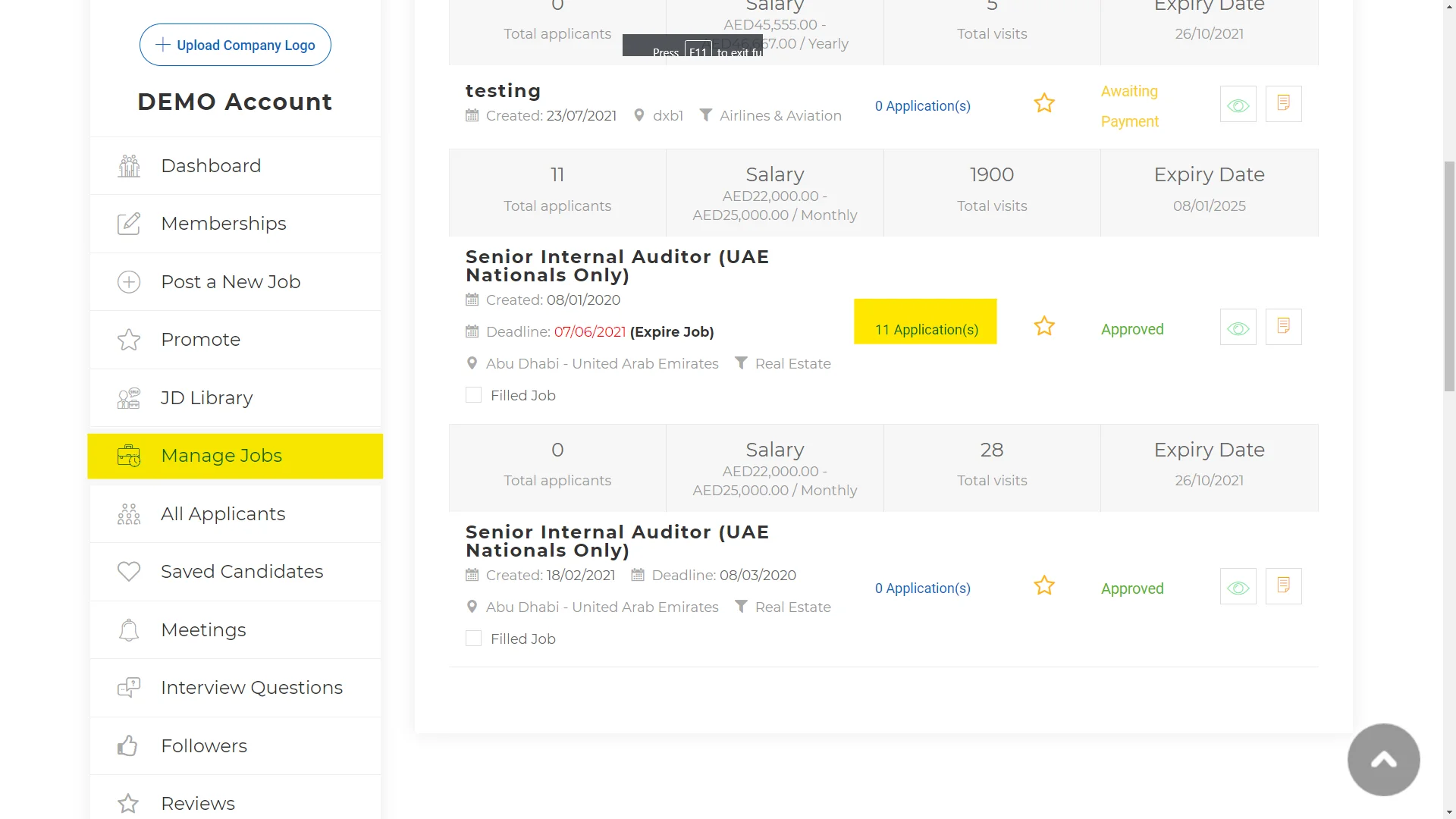
Login and select Manage Jobs. Than select the Applications within the specific job.
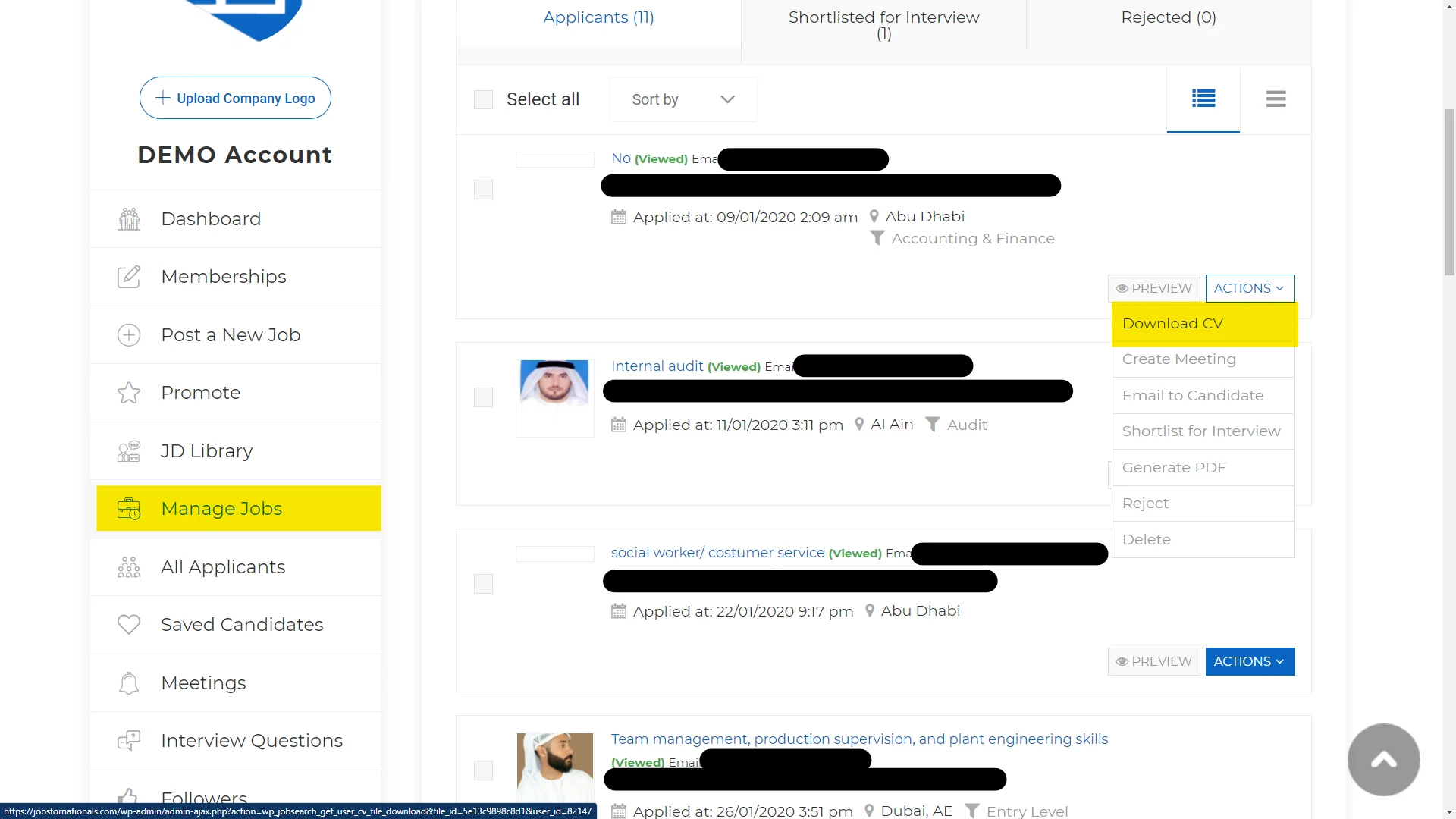
After you click Applications you will see all the Applicants for that specific position. Click the Actions drop down to see all the available options as highlighted on the right.
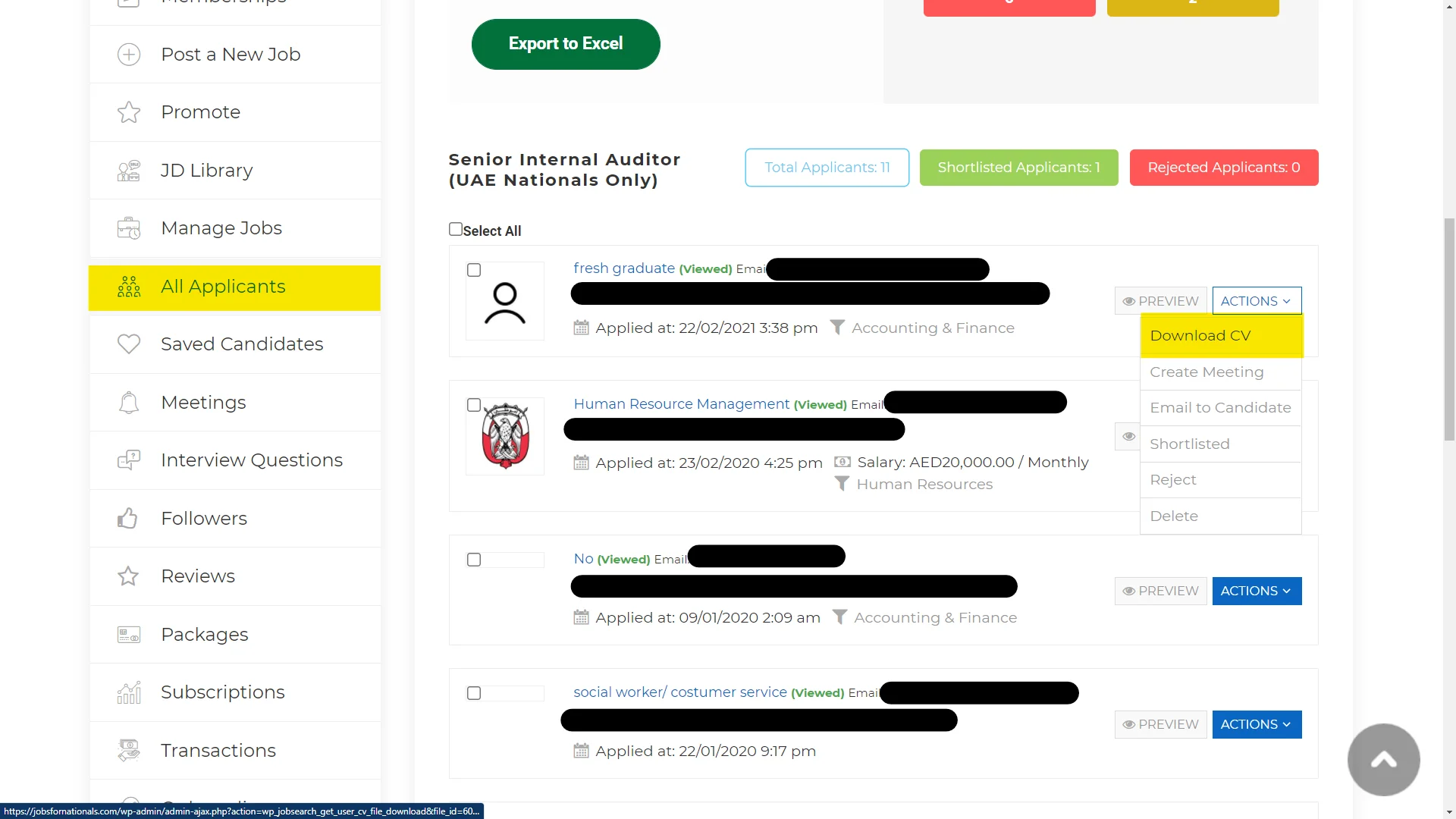
The second way is to go directly to All Applications and select the Actions drop-down for each candidate.
If you would like us to create more How To’s, please share your request here.